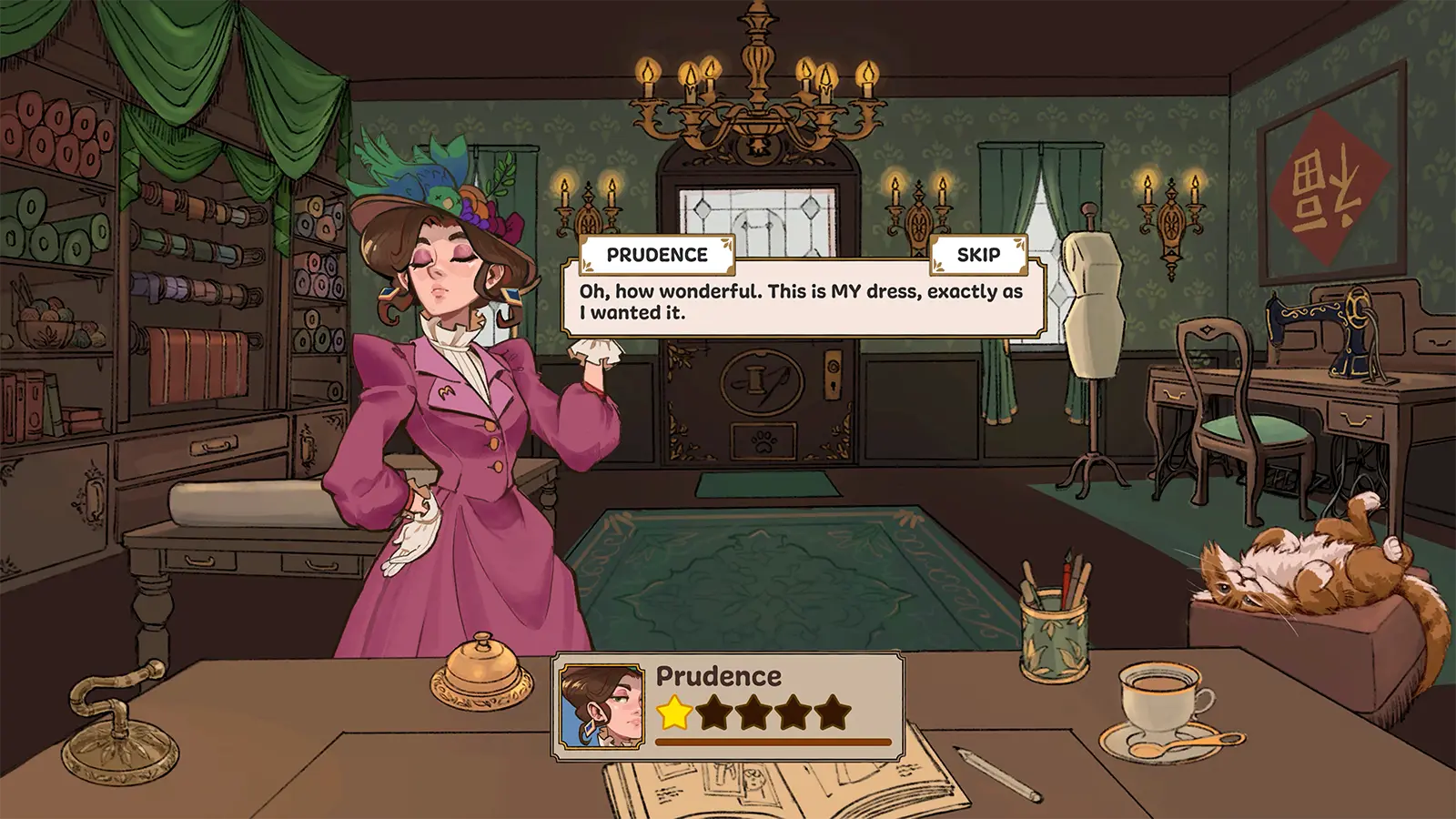
Dressmaker Where to Play: Your Guide to This Cozy Simulation Game
Discover where to play Dressmaker, the charming new fashion simulation game by Cozy Lives. Get expert tips on design, cutting, and sewing for your shop.
Published:
Video Guide
Realistic Dress-Making Shop Sim 🧵 Dressmaker GameplayTable of Contents
Have you ever dreamed of running your own boutique, meticulously crafting custom garments for a quirky cast of townsfolk? Finding out dressmaker where to play has never been more relevant, as this cozy simulation game has officially captured the hearts of players everywhere. In this guide, we will explore the platforms available for this title and provide you with the essential tips to master the art of virtual tailoring.
Whether you are a fan of relaxing life sims or a creative soul looking for a new design challenge, understanding dressmaker where to play is your first step toward building a thriving fashion empire. Developed by Cozy Lives, this game transforms the complex world of professional sewing into an accessible and satisfying experience that rewards both attention to detail and creative flair.
Platforms: Where to Play Dressmaker
If you are wondering dressmaker where to play right now, you can find the full version of the game exclusively on Steam. The transition from the original prototype on Itch.io to a fully featured release has brought significant improvements and deeper gameplay mechanics.
Platform
Availability
Notes
Steam
Full Version
Recommended for the best experience, achievements, and updates.
Itch.io
Prototype
A free-to-play demo; ideal for trying out the core mechanics.
Console
N/A
Not currently available on consoles like Switch, PlayStation, or Xbox.
While the itch.io prototype served as an excellent testing ground, the Steam version is the definitive way to experience the complete story, expanded fabric options, and additional dress patterns. Community members note that the full version on Steam offers a more polished interface and dedicated bug fixes that the prototype lacked. You can visit the official Dressmaker Steam store page to purchase the game and start your journey.
Getting Started: The Basics of Your Shop
When you first dive into the game, you will find yourself in your own cozy workshop, complete with a loyal shop cat. Your goal is to fulfill commissions while managing your resources effectively. Understanding how to navigate the design interface is crucial for your success as a tailor.
Don't Rush the Sewing
Many players initially struggle with the sewing controls. Community reports suggest taking it slow around tight curves and corners. If you find the mouse movement too erratic, check the options menu in the full game for a "Sewing Assist" toggle that lets the machine handle the turning for you.
To succeed, you must pay attention to the specific tags requested by your clients. Some may ask for "professional" attire, while others crave "glamour" or "elegant" evening wear. Your choice of fabric and the accuracy of your cutting will directly influence the final quality of the garment.
Essential Workflow Steps
Measurement: Use the measuring tape to get accurate dimensions from your client.
Drafting: Select the style, neckline, sleeves, and skirt type in your sketchbook.
Fabric Selection: Filter fabrics by the requested tags (e.g., "work wear") to maximize your client's satisfaction.
Cutting: Arrange your pattern pieces efficiently on the fabric to minimize waste.
Sewing: Carefully feed the fabric through the machine, adjusting direction and speed.
Decoration: Add final touches like buttons, lace, or bows to elevate the design.
Advanced Tips for Creating High-Quality Dresses
One of the most rewarding aspects of the game is achieving 100% quality on your commissions. This requires more than just meeting the basic requirements; it demands an understanding of how fabric properties and pattern alignment affect the final product.
Strategy
Why it Matters
Grain Alignment
Aligning patterns with the grain typically results in a higher quality rating.
Efficient Layout
Minimizing fabric waste allows you to save money for higher-quality materials later.
Layering Accessories
Strategic placement of lace and trims can hide minor sewing flaws and improve aesthetics.
Client Familiarity
Keeping track of client preferences leads to higher satisfaction levels and more patterns.
Players often report that the most common mistake is failing to account for the physical constraints of the fabric pieces during the cutting phase. If you are struggling, remember that you can always return to the cutting room to re-cut a piece if you are not happy with your current layout.
Community Insights and Common Pitfalls
The Dressmaker community is incredibly active, with many players sharing their own custom designs and providing helpful feedback to the developers. One recurring topic in the community is how to handle the sewing controls effectively.
Many veteran seamstresses who play the game have noted that it provides a surprisingly accurate representation of real-world dressmaking challenges, such as dealing with bias cuts and small pattern pieces. If you ever feel like you have ruined a piece, don't worry—most mistakes are part of the learning curve.
Watch Your Budget
It is easy to get carried away buying every beautiful fabric in the shop. Keep an eye on your gold reserves; if you run out, you may struggle to complete the more expensive commissions for elite clients later in the game.
FAQ: Frequently Asked Questions
Q: Is there a way to play Dressmaker on a mobile device?
A: Currently, there is no official mobile version. The game is optimized for PC (Windows/macOS/Linux) via Steam, and the intricate design and sewing controls are best suited for mouse and keyboard.
Q: Can I continue to design dresses after I finish all the commissions?
A: Yes! After completing the story, you can continue to run your shop, design as many dresses as you like, and even sell pre-made garments from your shop window.
Q: Will there be more updates or content added to the game?
A: The developers, Cozy Lives, are active and have already introduced hotfixes and community-requested features. Keep an eye on the official Steam announcements for information regarding potential future content.
Q: Is "Dressmaker where to play" referring to different regional availability?
A: No, the game is available globally on Steam. The key is simply ensuring your PC meets the minimum system requirements, such as having 8 GB of RAM and a decent graphics controller to handle the game's stylized visuals.
By understanding the mechanics and utilizing the tips shared by the community, you will be well on your way to becoming the town’s most renowned dressmaker. Whether you are aiming for simple professional wear or extravagant ball gowns, the creative freedom provided by this title is truly unmatched in the simulation genre. Grab your scissors, thread your machine, and start creating!