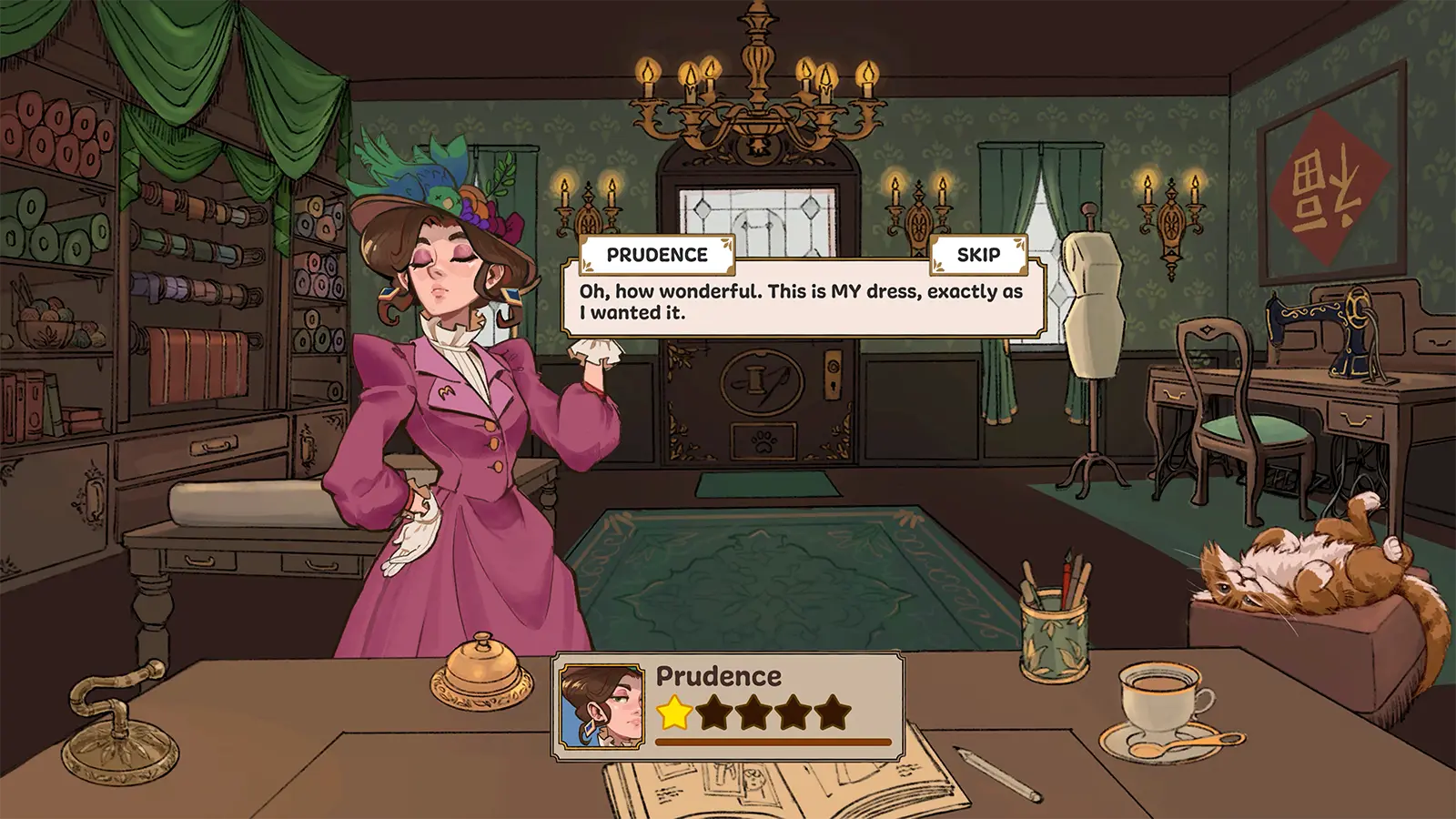
Dressmaker Demo Walkthrough: Master Every Stitch and Design
Discover the ultimate Dressmaker demo walkthrough. Learn professional sewing techniques, fabric selection tips, and how to achieve 100% quality scores.
Published:
Video Guide
A SEWING GAME? OBSESSED! - Dressmaker (Indie Game Demo)Table of Contents
Welcome to the charming and intricate world of Dressmaker, the latest indie sensation from Cozy Lives. Whether you discovered this gem through trending TikTok videos or stumbled upon it on itch.io, you likely realized quickly that this isn't your average "dress-up" game. It is a technical, cozy simulation that demands precision, creativity, and a keen eye for detail. If you are looking to turn your small shop into the talk of the town, this comprehensive dressmaker demo walkthrough will guide you through every design choice, fabric cut, and sewing challenge the prototype offers.
Navigating the early stages of a prototype can be daunting, especially with mechanics that mirror real-life tailoring. This dressmaker demo walkthrough is designed to help you navigate the learning curve, from understanding the "grain line" to satisfying the most demanding high-society clients. By mastering the fundamentals early on, you can ensure that every garment you deliver earns the highest possible quality rating and reputation points.
The Core Gameplay Loop: From Sketch to Runway
Before diving into specific commissions, it is essential to understand the rhythm of the game. Dressmaker separates the creative process into distinct phases, each requiring a different skill set. Unlike many fashion games that skip the "work," this title emphasizes the physical act of creation.
Selecting bodice, sleeves, and skirt in the sketchbook.
Matching design components to the client's request.
Sourcing
Buying fabric at the shop within a fixed budget.
Choosing materials (Cotton, Silk, etc.) that fit the style.
Cutting
Placing patterns on fabric bolts and using scissors.
Grain line alignment (Critical for Quality).
Assembly
Pinning pieces to the mannequin and sewing seams.
Precision mouse or keyboard control to follow lines.
Finishing
Adding buttons, bows, and lace.
Enhancing the aesthetic without overspending.
Step 1: Mastering the Sketchbook and Style Tags
Your journey begins in the sketchbook. In the current prototype (v0.4.3 through v0.5.5), every design choice you make contributes to a set of hidden and visible "Style Tags." According to community reports, players often struggle because they choose a design they like rather than one the customer requested.
When you open the sketchbook, pay attention to the labels. A "Plunge" neckline might be perfect for an evening ball, while a "Collar" is almost mandatory for a professional librarian outfit.
Check the Tags Early
As of the v0.4+ updates, you can see style tags like "Professional" or "Glamorous" directly in the sketchbook. Always cross-reference these with the customer's dialogue. If they mention a "fundraiser," look for "Elegant" or "Cute" tags.
Once the design is set, you must head to the shop. The dressmaker demo walkthrough wouldn't be complete without a warning: Budget is your biggest constraint. If you spend all your coins on high-end Silk, you won't have enough for the accessories needed to hit the "Cute" or "Glamorous" requirements.
Fabric Characteristics and Costs
Cotton: The bread and butter of your shop. It is sturdy, matte, and perfect for "Daywear" or "Workwear."
Linen: Excellent for "Relaxed" styles. It has a textured, breathable look that customers love for casual events.
Wool: The go-to for "Professional" winter outfits. It is dense and provides a high quality floor but is more expensive than cotton.
Silk: Unlocked later in the demo. It features a luxurious sheen essential for "Elegant" and "Glamorous" tags.
Velvet: The most expensive and dramatic fabric. Use this for Operas and high-society balls to maximize your "Glamour" score.
Efficient Fabric Usage
You don't always need to buy 5 meters. Check your inventory for scraps from previous commissions. Reusing leftover fabric is the best way to stay under budget while still using premium materials for accents like collars or cuffs.
Step 3: The Secret to 100% Quality—Grain Line Alignment
This is the technical hurdle where most new players fail. In real-life sewing, the "grain" refers to the direction of the warp and weft threads. In this game, each pattern piece has a small arrow. If you do not align this arrow correctly, your quality score is permanently capped, no matter how perfectly you sew the seams.
How to Align the Grain
Drag your pattern piece onto the fabric bolt.
Look for the arrow on the pattern piece.
The arrow must point horizontally (left or right).
Rotate the piece until the outline turns Green.
If the outline is white or red, the grain is misaligned.
Community Experience Note: Many players have reported on the itch.io forums that they were confused by the lack of a "quality" boost despite perfect sewing. In 90% of these cases, the issue was skipping the grain line alignment during the cutting phase.
Step 4: The Sewing Mini-Game Walkthrough
Once you have your pieces, it’s time to head to the mannequin. Pin the pieces to their appropriate spots (the game uses a "ghost" system to show you where things go). After pinning, you enter the sewing machine view.
Control Comparison: Mouse vs. Keyboard
Control Method
Pros
Cons
Mouse (Click & Drag)
Intuitive for some; feels like "hand-guiding."
Can be straining on the wrist; prone to "twitching."
Keyboard (Space + Arrows)
High precision; easier to maintain speed.
Less "organic" feeling; requires two hands.
Pro Tips for Perfect Seams
Slow Down for Corners: The most common way to lose quality is "cutting corners." As you approach a sharp angle (like a waistband or collar), stop the machine entirely, rotate the fabric, and then proceed slowly.
The "Marching Ants" Line: Follow the dotted line religiously. If you stray, your quality percentage drops rapidly.
Momentum: The machine has a slight delay when stopping. Release your input a fraction of a second before you need to stop at a corner to avoid overshooting.
For more technical updates and developer notes, you can visit the Official Dressmaker Steam Page to see how these mechanics are being refined for the full release.
Step 5: Walkthrough of the First Three Commissions
To give you a practical dressmaker demo walkthrough, let’s look at the three primary story commissions in the prototype.
Commission 1: Rose (The Librarian)
Request: Workplace appropriate, professional.
Budget: 300 Coins.
Strategy: Choose a bodice with a collar and a pleated skirt. Use Green or Navy Cotton.
Pitfall: Don't waste money on silk here; she values "Workwear" quality over "Glamour."
Commission 2: Rose (The Fundraiser)
Request: Cute, simple, for the Duke’s residence.
Budget: 500 Coins.
Strategy: Go for a square neckline and a simple skirt. Cotton or Linen works well.
Top Tip: Add at least two bows. The "Cute" tag is heavily influenced by accessories in this stage of the demo.
Commission 3: Miss Prudence (The Evening Ball)
Request: Glamorous, elegant, evening wear.
Budget: 1,000 Coins.
Strategy: This is where you use the Silk or Velvet. A plunge neckline with long sleeves and a mermaid skirt will hit all the tags.
Warning: Sewing silk is "finicky" in the game’s logic. Go slower than you did with the cotton commissions to maintain that 90%+ quality.
Troubleshooting Common Demo Issues
Since this is a prototype, you may encounter a few bugs. Community reports on the developer's itch.io page highlight a few specific issues:
Falling Pieces: Sometimes, cut pieces "fall" out of the inventory bar. If this happens, try switching fabric bolts back and forth to reset the UI.
Tutorial Overlap: The tutorial text can sometimes cover the "Accessories" tab. If you can't click it, use the keyboard to navigate the menu.
Missing Sewing Lines: On very light fabrics, the dotted sewing line can be hard to see. If it disappears, try restarting the specific seam; it usually reloads the guide.
No Undo Button
Currently, the demo does not have a comprehensive "undo" system for cutting. If you misalign the grain and cut the piece, you must either live with the quality penalty or restart the day. Always double-check for the green outline before clicking the scissors!
Conclusion: Refining Your Craft
The Dressmaker prototype is a beautiful proof of concept that rewards patience and technical skill. By following this dressmaker demo walkthrough, you should be able to navigate the complexities of grain lines, budget constraints, and the finicky sewing machine. As you build your reputation, you'll unlock more fabrics and patterns, eventually becoming the premier tailor for the Duke's social circle.
Remember to interact with your shop cat between commissions for a "cozy" boost, and keep an eye on the newspaper ("Spilt Tea") to see how your designs are influencing the town's fashion trends. Happy sewing!
</hr>
FAQ: Dressmaker Demo Walkthrough
How do I achieve 100% quality in the Dressmaker demo?
To hit 100% quality, you must satisfy two conditions: First, ensure every pattern piece has a green outline (correct grain line alignment) before cutting. Second, you must follow the sewing guide perfectly during the assembly mini-game. Any deviation from the dotted line or misalignment of the grain will cap your maximum score.
Why can't I find the accessories during the tutorial?
This is a known bug in the dressmaker demo walkthrough experience where the tutorial dialogue box overlaps the UI. If you are stuck, try using your keyboard to select the tab or slightly resize your game window to shift the UI elements.
How do I unlock Silk and Velvet fabrics?
Silk and Velvet are reputation-based unlocks. You must successfully complete the first two commissions for Rose with a high satisfaction rating. Once you reach the "Noteworthy" reputation level and accept Miss Prudence's request for an evening ball, these premium fabrics will become available in the shop.
Can I play the Dressmaker demo on a laptop trackpad?
While possible, community reports strongly suggest using a mouse or the keyboard controls (Space + Arrows). The sewing mini-game requires precise, steady movement that is very difficult to achieve on a standard trackpad, often leading to significant quality drops.