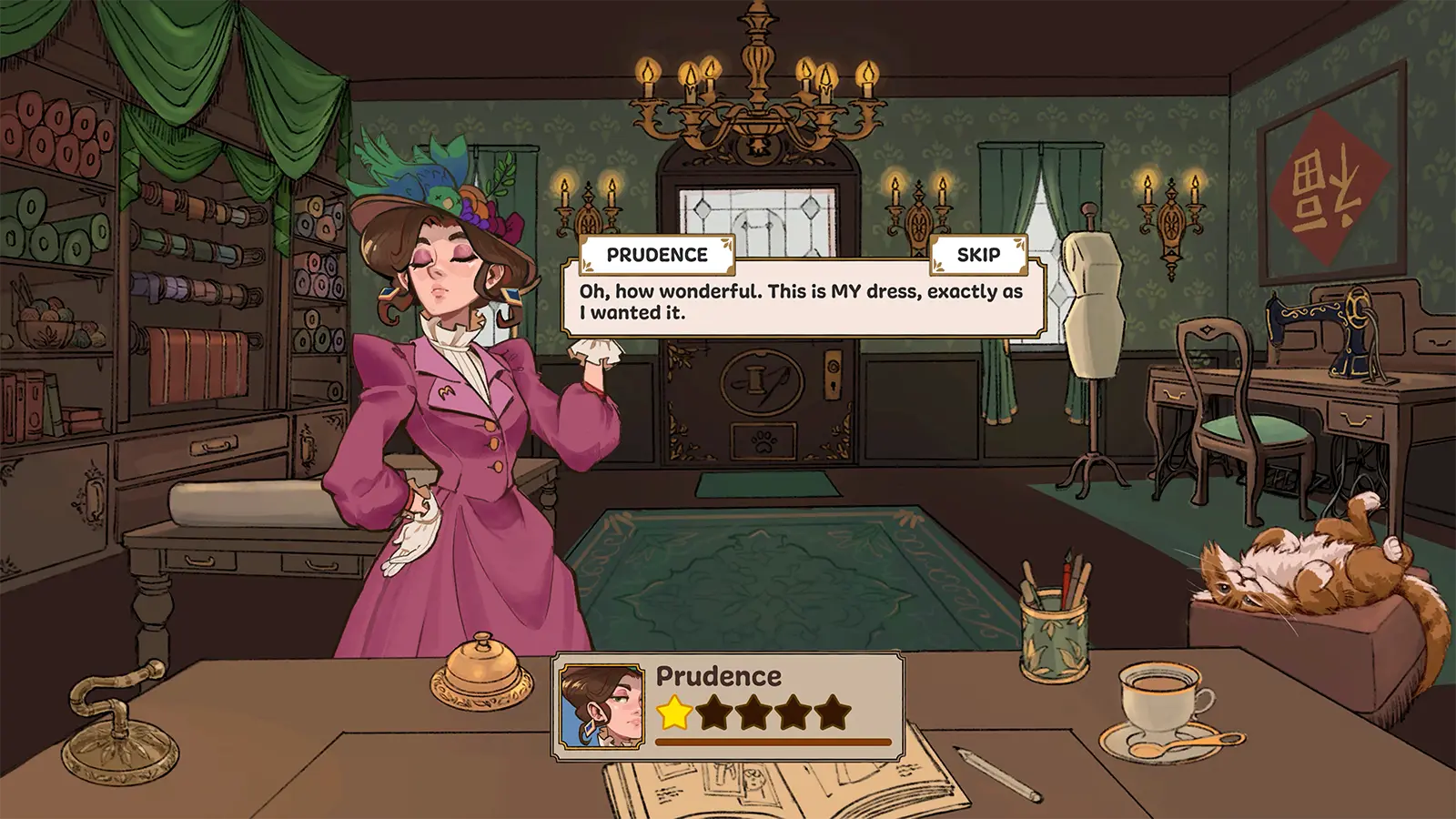
Dressmaker Steam Guide: Master the Art of Cozy Tailoring
Master the cozy world of Dressmaker on Steam! Discover expert tips, pattern cutting secrets, and strategies to satisfy every client in this creative sim.
Published:
Video Guide
Dressmaker - Release Date TrailerTable of Contents
Have you ever dreamed of running your own boutique, where every stitch tells a story and every garment is a work of art? The Dressmaker Steam release has arrived, offering players a deeply tactile and relaxing simulation experience that transforms the complex craft of sewing into a rewarding digital sandbox. Whether you are a fan of cozy games or a fashion enthusiast, understanding how to navigate the mechanics of this title is key to your success.
In this guide, we dive deep into the world of Dressmaker. We will explore everything from the intricacies of fabric grain alignment to the delicate art of satisfying picky townspeople. By mastering these systems, you will evolve from a novice seamstress into the most sought-after designer in the region.
The Foundations of Your Boutique: Getting Started
The core gameplay loop of Dressmaker revolves around a satisfying cycle: consultation, design, cutting, and sewing. Unlike other simulation games that rely on automated processes, this title demands your personal touch.
When you first open your shop, you are greeted by clients with specific needs—ranging from professional librarian attire to glamorous evening wear. Your goal is to balance the client's requested style tags (like "Professional," "Elegant," or "Gothic") with the structural integrity of your design.
Efficient Pattern Cutting
Always layout your pattern pieces before cutting. Pay attention to the grain line indicators; sewing against the grain can result in poor draping quality, which may negatively impact your client's satisfaction rating.
Key Gameplay Mechanics
Mechanic
Purpose
Player Strategy
Sketchbook
Design & Planning
Test color combinations and fabric tags before drafting.
Measuring
Client Sizing
Ensure the mannequin matches measurements to avoid fit issues.
Fabric Selection
Stat Requirements
Filter fabrics by tags (e.g., "Professional") to hit score goals.
Sewing
Assembly
Use slow, steady movements to maintain seam accuracy.
Mastering the Art of Cutting and Sewing
One of the most frequently discussed topics in the community involves the difficulty of cutting fabric effectively. Many players report frustration when attempting to optimize fabric usage. However, as noted in various community discussions, the key is treating the cutting screen as a spatial puzzle.
The Sewing Machine Workflow
The sewing process in Dressmaker is intended to be a relaxing experience. While you have a speed control slider, the true secret to high-quality results is consistency. If you find your hand shaking or the machine slipping, use the speed adjustment to take tight corners or complex curves more slowly.
Preparation: Always place your pattern pieces in the inventory before finalizing.
Alignment: Utilize the rotation tool to pack pieces as tightly as possible to reduce waste.
Discarding: If you find yourself stuck, use the discard tool to clear scraps and create space for more efficient layouts.
Meeting Client Expectations: The Stat System
To succeed in the game, you must understand how tags influence your reputation. Every client provides a specific set of requirements. Failure to meet these criteria results in lower gold and reputation rewards.
Fabric Type Influence
Different fabrics offer different base stats. A good dressmaker learns early on that you cannot simply make a ballgown out of heavy wool and expect a "Glamorous" result.
Fabric Material
Best Usage
Tag Bonus
Cotton
Everyday / Simple Wear
High Comfort
Linen
Workwear / Professional
High Professional
Wool
Winter / Gothic Style
High Formality
Silk
Evening / Red Carpet
High Glamour
Velvet
Formal / High Fashion
High Elegance
Troubleshooting Common Issues
Even the most talented designers run into roadblocks. Below are some common hurdles encountered by players during the early stages of their playthrough.
Why won't my dress score high?
Oftentimes, players attempt to "stuff" a design with too many accessories to force a high score. Community members suggest that a cohesive design—where the fabric matches the occasion—is much more effective than adding excessive trim or buttons. If your score is low, try revisiting your fabric choices in the shop.
Dealing with "Missing" Requirements
If a client asks for a specific accessory you don't have, check your sketchbook tags. You may need to level up your reputation to unlock new tiers of stock. If you find your game "freezing" after a sale, it is often because a new tutorial or client event is triggering; simply wait a moment for the UI to update.
Save Data Management
Always ensure you are not closing the game during an auto-save animation. Some players have reported issues with file corruption if the process is interrupted during the transition between the shop and the results screen.
Advanced Design Strategies
Once you have mastered the basics, it is time to look at the creative freedom Dressmaker offers. The game does not force you to play as a shop simulator; it is a design sandbox. You can create "off the rack" items to display in your shop window, which is an excellent way to practice new techniques without the pressure of a deadline.
Creative Tips from the Community
The "Pink Ballgown" Rule: Many players find that experimenting with extreme color palettes is the fastest way to understand how the game handles visual variety.
Accessory Placement: You can place buttons and bows anywhere. Don't feel restricted by standard garment construction; create your own signature style.
UI Mastery: Learn the zoom controls. While some users find them tricky, being able to zoom in is essential for precise lace trim placement.
Frequently Asked Questions (FAQ)
Q: Is Dressmaker Steam only a shop simulator?
A: No, while there is a currency and client system, the game is primarily a creative design and crafting simulation focused on the act of making clothing.
Q: Can I use the Dressmaker Steam version on a Steam Deck?
A: Yes, the game is marked as "Playable" on the Steam Deck. While the team is working on full controller support, the mouse-driven interface works well on the handheld platform.
Q: How do I unlock more fabric types?
A: Fabrics are unlocked by gaining reputation and completing commissions for the townspeople. Keep an eye on your progress bar to see when the next tier of stock will arrive.
Q: Are there any plans for new content?
A: Yes, the developers have confirmed they are working on an online challenge mode, transparent fabrics, and potential mobile/console ports for the future.
In conclusion, Dressmaker is more than just a game; it is an invitation to explore the patience, precision, and artistry of a traditional craft. Whether you are aiming to be the next top designer or simply want a quiet place to unwind, the mechanics here provide a deeply satisfying experience. Happy sewing!